Hanboost T1 Review: Should You Back This Pocket Size Laser Engraver?
Facebook
Twitter
LinkedIn
Reddit
Pocket-size laser engravers always sound almost too good at first.
A tiny machine on your desk that can personalize wood tags, leather gifts, cards, labels, phone cases, and small craft projects without taking over your room? I get the appeal.
The Hanboost T1 is selling exactly that idea on Kickstarter. It’s a palm-sized mini laser engraver designed for small creative projects, personalized gifts, maker labels, and selected craft materials.
But with any tiny laser engraver, the real question is not just whether it looks cool.
The real question is: what can it actually engrave, safely and consistently?
Quick disclosure: I have not tested a Hanboost T1 sample yet. This is a first-look Hanboost T1 review and Kickstarter buyer’s guide based on Hanboost’s campaign page, official product materials, published specs, reward pricing, creator history, and comparisons with other portable laser engravers like LaserPecker, xTool F1, and Wainlux K10.
So I’m not going to pretend I have personally engraved wood, leather, or acrylic with it. This article is about whether the Hanboost T1 looks like a smart Kickstarter backing decision.
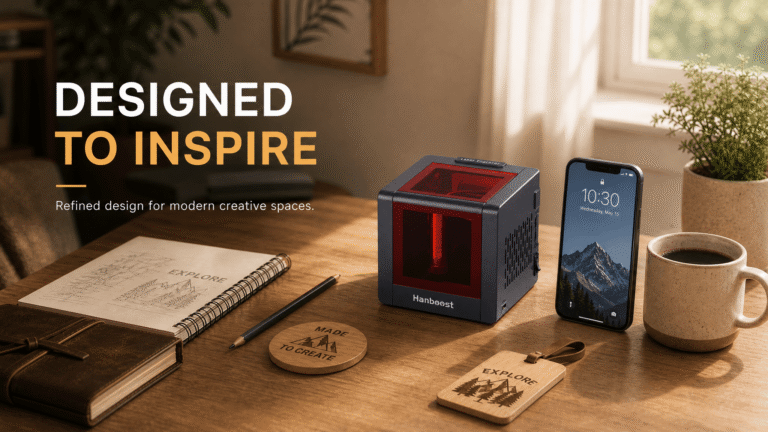
Table of Contents
Hanboost T1 Review Summary
The Hanboost T1 is a Pocket Size Laser Engraver with 0.5W and 1.6W optical output options, USB-C power, LightBurn and LaserGRBL support, claimed 0.05mm engraving accuracy, wireless connection, active cooling, tilt protection, and a full enclosed design.
It looks best for beginners, hobbyists, gift makers, craft fair sellers, and people who want a small laser engraver for light personalization projects.
It does not look like a replacement for a 10W, 20W, or CO2 laser cutter.
Best for: small DIY gifts, maker labels, craft projects, beginners, small desks
Not best for: serious cutting, metal engraving, Etsy-scale production, thick materials, business-heavy use
Best pledge choice: T1 Pro 1.6W looks like the smarter pick for most buyers
Main risk: Kickstarter delivery and real-world performance are not proven yet
Quick Verdict: Should You Back Hanboost T1?
Yes, I would consider backing the Hanboost T1 if you understand what kind of tool this is.
This is not a powerhouse laser cutter. It is a small, low-power, portable laser engraver designed for light personalization work. If that is what you want, the Kickstarter pricing is attractive.
The campaign lists:
- T1 0.5W Laser Engraver at US$89
- T1 Pro 1.6W Laser Engraver at US$109
- Estimated delivery: September 2026
If I were backing one, I would choose the T1 Pro 1.6W. The jump from $89 to $109 is small, and extra laser output usually matters when engraving wood, leather, cardboard, and craft materials.
I would skip the 0.5W version unless you only want very light engraving and want the lowest possible price.
What Is the Hanboost T1?
The Hanboost T1 is a palm-sized laser engraver on Kickstarter. Hanboost describes it as a mini engraver for small creative projects, personalized gifts, maker labels, and selected craft materials.
That positioning matters.
It is not being pitched as a workshop machine. It is being pitched as something small enough for a desk, bag, or casual maker setup.
The campaign highlights:
- Pocket-size design
- USB-C power
- Ability to run from a power bank
- Wireless connection
- Claimed 0.05mm precision
- Full enclosed design
- Active cooling
- 15-degree tilt protection
- Support for LightBurn and LaserGRBL
That is a strong feature list for a tiny machine, especially at Kickstarter pricing. The real question is how well those specs translate into actual engraving results.
Key Specs From the Kickstarter Page
| Spec | Hanboost T1 |
|---|---|
| Product type | Pocket size laser engraver |
| Laser output | 0.5W / 1.6W optical output |
| Claimed accuracy | 0.05mm |
| Power | USB-C |
| Power source | USB charger or power bank |
| Software | LightBurn, LaserGRBL |
| Listed materials | Wood, leather, plastic, cardboard, acrylic |
| Safety | Full enclosed design |
| Protection | 15-degree tilt protection |
| Cooling | Active cooling system |
| Estimated delivery | September 2026 |
| Starting pledge | US$89 |
| T1 Pro pledge | US$109 |
The most important spec here is laser output.
A 0.5W or 1.6W laser is not in the same category as a 10W or 20W desktop diode laser. That does not make it bad. It just means you should judge it as a compact engraving tool, not a serious cutting machine.
T1 vs T1 Pro: Which One Should You Choose?
If you are going to back this project, the T1 Pro 1.6W looks like the better choice.
The regular T1 is listed at 0.5W. The T1 Pro is listed at 1.6W. The price difference is only about $20 based on the campaign reward tiers I saw.
For laser engraving, power matters. Not because more power automatically means perfect results, but because very low-power engravers can become frustrating if they need many passes or struggle with certain materials.
My take:
| Model | Who It Makes Sense For |
|---|---|
| T1 0.5W | Lowest-cost backers, very light engraving, casual use |
| T1 Pro 1.6W | Most buyers, better margin for wood/leather/cardboard projects |
If you are buying this as a real creative tool rather than a novelty gadget, I would lean toward the Pro.
What Can Hanboost T1 Probably Engrave?
Since this is a first-look review, I do not want to overpromise. The Kickstarter page lists wood, leather, plastic, cardboard, and acrylic as supported materials.
Hanboost’s official images also show example projects on wood, leather, cards, fabric, phone cases, leaves, and small craft pieces. Those examples are useful for understanding the intended use cases, but they should still be treated as official campaign examples until independent hands-on tests confirm the results.
| Material | First-Look Expectation | Buyer Note |
|---|---|---|
| Wood | Likely the safest starting material | Best for tags, labels, small gifts |
| Leather | Likely useful | Expect smell and smoke; ventilate |
| Cardboard | Likely works | Fire risk matters |
| Acrylic | Depends on type and color | Clear acrylic can be difficult for some lasers |
| Plastic | Be careful | Some plastics release unsafe fumes |
| Metal | Do not assume serious engraving | May need coating or marking spray |
| Glass | Do not assume easy results | Often needs coating or special technique |
The safest expectation: Hanboost T1 should be treated as a small personalization engraver, not a universal material machine.
Can Hanboost T1 Cut Wood?
I would not buy the Hanboost T1 mainly for cutting.
At 0.5W or 1.6W optical output, this is much more believable as an engraving tool than a cutting tool. It may be able to mark or lightly work with thin materials depending on settings, passes, and material type, but if your goal is cutting wood, you should look at a more powerful diode laser or CO2 laser.
If you want to cut material regularly, consider something larger.
If you want to engrave names, icons, labels, small logos, or decorative patterns, Hanboost T1 makes more sense.
Safety: Do Not Skip This Part
Even a pocket size laser engraver is still a laser.
Do not treat it like a normal printer.
The Hanboost campaign emphasizes a full enclosed design, active cooling, and 15-degree tilt protection. Those are encouraging features, especially for beginners, but they do not remove the need for basic laser safety.
Before using any laser engraver:
- Protect your eyes
- Use ventilation
- Do not engrave unknown plastics
- Keep kids and pets away
- Do not leave it running unattended
- Watch cardboard and paper carefully
- Avoid reflective materials unless you know what you are doing
- Expect smoke and smell, especially with leather and wood
A small laser can still burn material. That is the point of the tool.

Software and App Control
One thing I like on paper is that Hanboost lists support for LightBurn and LaserGRBL.
That matters because a laser engraver is only as good as the workflow around it. If the software is awkward, even good hardware becomes annoying.
LightBurn support is especially useful for people who already have some laser engraving experience. LaserGRBL support is also helpful for users who want a familiar, lightweight control option.
The campaign also highlights wireless connection and app control. For a pocket-size laser engraver, that makes sense. The whole appeal is quick setup, small projects, and casual creative use.
Still, because I have not tested the software myself, I would treat this as a campaign claim until real users confirm how stable the connection and workflow are.
Hanboost Creator Track Record
This is an important part of the buying decision because Hanboost T1 is a Kickstarter project.
A first-time hardware creator is always a bigger risk. Hanboost is not a first-time creator.
According to Hanboost’s Kickstarter profile, the brand joined Kickstarter in August 2022, has created 5 projects, and has backed 7 projects. Its profile also shows a “Backer Favorite” badge.
Previous Hanboost projects listed on Kickstarter include:
| Project | Status |
|---|---|
| Hanboost C1 True Wireless Ultrasonic Cutter | Ended, 16444% funded |
| Hanboost S2 Rotary Tool Kits | Ended, 940% funded |
| Hanboost S1 Electric Cordless Rotary Tool | Ended, 671% funded |
| Hanboost HBT-471 Screwdriver Set | Ended, 1350% funded |
| Hanboost T1 Pocket Size Laser Engraver | Live, Project We Love |
That does not remove all Kickstarter risk. But it does matter.
A creator with several previous DIY tool campaigns is easier to trust than a brand-new creator with no track record. For me, this makes the Hanboost T1 easier to consider backing, as long as you still understand the usual crowdfunding risks.
Kickstarter Risks Before Backing
Backing Hanboost T1 is not the same as buying a finished product from Amazon.
Kickstarter rewards are not guaranteed retail purchases. Delivery can be delayed. Specs can change. Final engraving results may differ from campaign images. Support and returns are also not as simple as buying from a normal online store.
That does not mean you should avoid Kickstarter. It means you should back with the right mindset.
Positive signs from this campaign:
- The project has passed its funding goal
- It has strong backer interest
- Kickstarter marked it as “Project We Love”
- Hanboost has run multiple previous Kickstarter projects
- Previous Hanboost campaigns in the DIY tool category were funded well above their goals
Still, you should check before backing:
- Campaign updates
- Comments from backers
- Final shipping cost
- Estimated delivery
- What is included in your reward
- Whether you want T1 or T1 Pro
- Whether the specs match your use case
My rule for Kickstarter tech: back it because you like the project, not because you need a guaranteed tool next week.
Hanboost T1 vs LaserPecker vs xTool F1 vs Wainlux K10
This is where the buying decision gets clearer.
| Product | Best For | Why Choose It | Main Trade-Off |
|---|---|---|---|
| Hanboost T1 | Kickstarter buyers, tiny desk setups | Low entry price, USB-C power, pocket size | Not proven yet |
| LaserPecker | Mature portable engraving | More established portable laser ecosystem | Usually costs more |
| xTool F1 | Serious portable engraving | Stronger performance, better for small business use | Much higher price |
| Wainlux K10 | Budget beginners | Cheap and compact | Low power, limited expectations |
Hanboost T1 is not trying to be an xTool F1 competitor in raw capability. That would be the wrong comparison.
Its real appeal is price, size, and simplicity.
If you want a proven portable laser engraver today, LaserPecker is safer. If you want a more serious compact business tool, xTool F1 is stronger. If you want a cheap beginner machine, Wainlux K10 is worth comparing.
If you like Kickstarter products and want a tiny engraver for light DIY projects, Hanboost T1 is interesting.
Who Should Back Hanboost T1?
Back Hanboost T1 if you want a small laser engraver for light creative projects.
It makes sense for:
- DIY beginners
- Gift makers
- Crafters
- Makers with limited space
- Craft fair sellers
- Micro brands
- People who want to engrave wood tags, leather pieces, cards, or labels
- People who already use LightBurn or LaserGRBL
- Kickstarter backers comfortable waiting until September 2026
- Buyers who want the T1 Pro 1.6W for a low entry price
This could be a nice starter tool if your expectations are realistic.

Who Should Skip It?
Skip Hanboost T1 if you need proven performance right now.
You should probably wait or buy something else if:
- You need hands-on reviews before buying
- You want to cut wood
- You want to engrave metal deeply
- You want to run an Etsy shop at scale
- You need a large working area
- You want Amazon-style returns
- You do not want Kickstarter risk
- You need a machine for business production
For commercial use, I would look at xTool, LaserPecker, Creality, or other more established machines.
Buying Checklist Before You Back
Before clicking the pledge button, check these:
- Are you choosing T1 or T1 Pro?
- Is the estimated delivery date acceptable?
- Do you understand Kickstarter risk?
- Are your materials realistic for 0.5W or 1.6W?
- Do you have ventilation?
- Are you comfortable using LightBurn or LaserGRBL?
- Do you need cutting, or only engraving?
- Have you checked shipping cost?
- Have you read campaign comments and updates?
If your answer is mostly yes, backing makes sense.
Lorem ipsum dolor sit amet, consectetur adipiscing elit. Ut elit tellus, luctus nec ullamcorper mattis, pulvinar dapibus leo.
Final Verdict
The Hanboost T1 looks like a genuinely interesting pocket size laser engraver, especially at the Kickstarter price.
I like the positioning. It is small, beginner-friendly, USB-C powered, compatible with known software, and designed for small personalization projects. The T1 Pro 1.6W tier looks especially appealing because the price jump over the 0.5W version is small.
Hanboost’s creator history also helps. The brand has already run several Kickstarter projects in the DIY tool category, including cordless rotary tools and an ultrasonic cutter. That does not guarantee perfect delivery, but it makes the campaign feel less risky than a first-time hardware project.
But this is still a first-look review. I have not tested the machine, and real engraving results matter a lot in this category.
So my recommendation is:
Back Hanboost T1 if you want a compact DIY engraver for small projects and you understand Kickstarter risk.
Choose T1 Pro if you want the more practical version.
Wait for hands-on reviews if you need proven cutting power, business reliability, or serious material performance.
Bottom line: Hanboost T1 is not a replacement for a full desktop laser cutter. But as a low-cost pocket size laser engraver for small DIY projects, it is worth considering.
FAQ
No. This is a first-look review and Kickstarter buyer’s guide based on the campaign page, official materials, published specs, creator history, and competitor comparison. I have not tested a sample yet.
It is worth considering if you want a small, low-cost laser engraver for light DIY projects and you understand Kickstarter risk.
The T1 is listed with 0.5W optical output, while the T1 Pro is listed with 1.6W optical output. For most buyers, the T1 Pro looks like the better choice.
Wood is one of the materials listed by Hanboost and is likely one of the best materials to start with. Real results will depend on wood type, settings, and power.
I would not buy it mainly for cutting. With 0.5W or 1.6W optical output, it is better viewed as a small engraver than a cutting machine.
Do not assume deep metal engraving. Low-power diode engravers usually need coatings or marking sprays for some metal results, and real performance needs testing.
It has a full enclosed design and tilt protection according to the campaign, but you still need ventilation and eye safety. Smoke and fumes are real concerns.
The Kickstarter page lists LightBurn and LaserGRBL support.
The campaign lists estimated delivery as September 2026.
Hanboost’s Kickstarter profile shows 5 created projects and 7 backed projects. Previous projects include the C1 ultrasonic cutter, S1/S2 rotary tools, and HBT-471 screwdriver set. Several campaigns were funded well above their goals.
No. Kickstarter projects can still be delayed, changed, or run into fulfillment issues. But Hanboost’s previous campaign history is a positive signal compared with a first-time creator.
Not necessarily. LaserPecker is more established. Hanboost T1 is more of a Kickstarter value play for buyers who want a tiny, low-cost engraver.
Choose Hanboost T1 for low-cost, small DIY projects. Choose xTool F1 if you want a more serious portable laser engraver for heavier use.